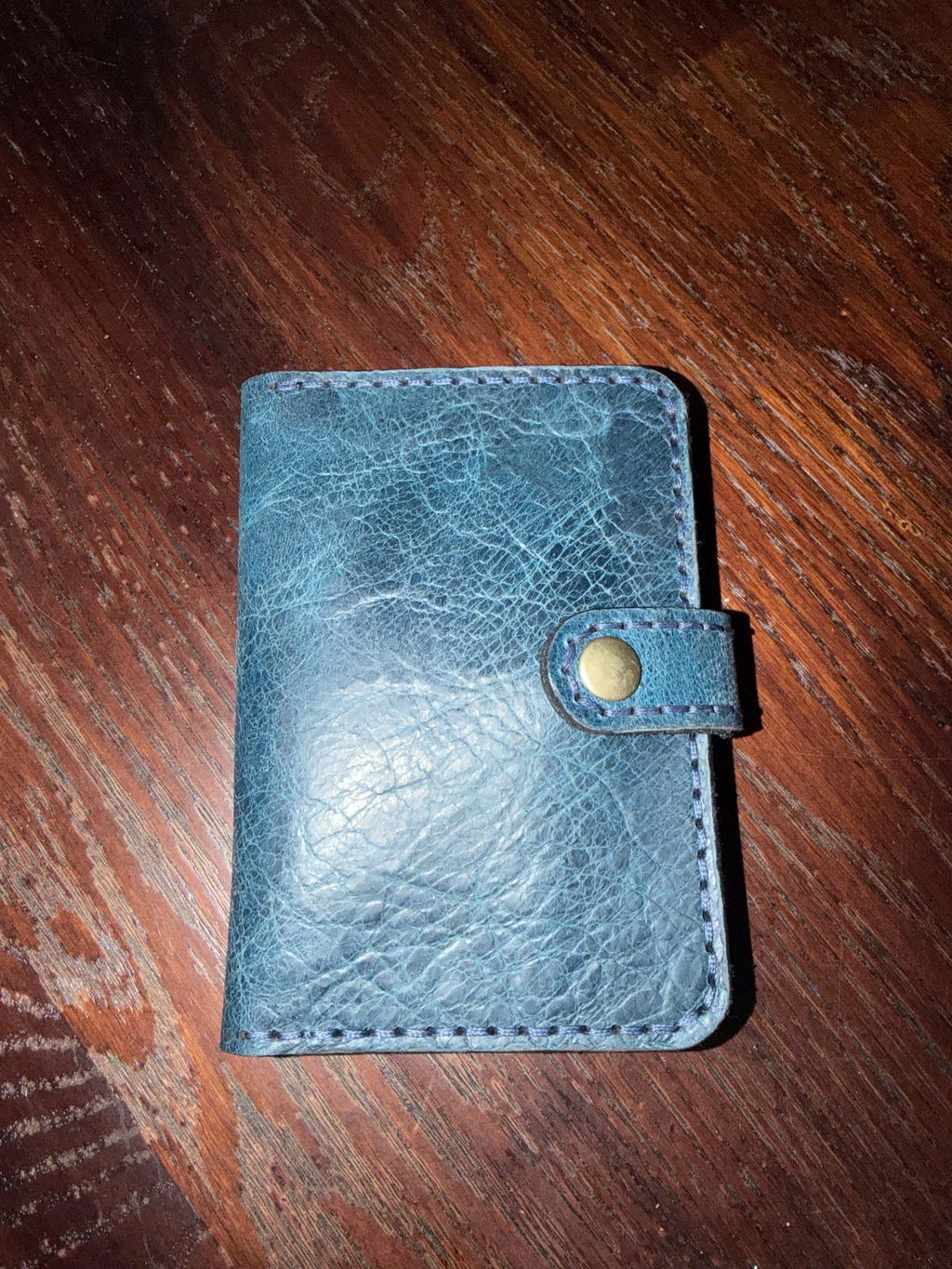
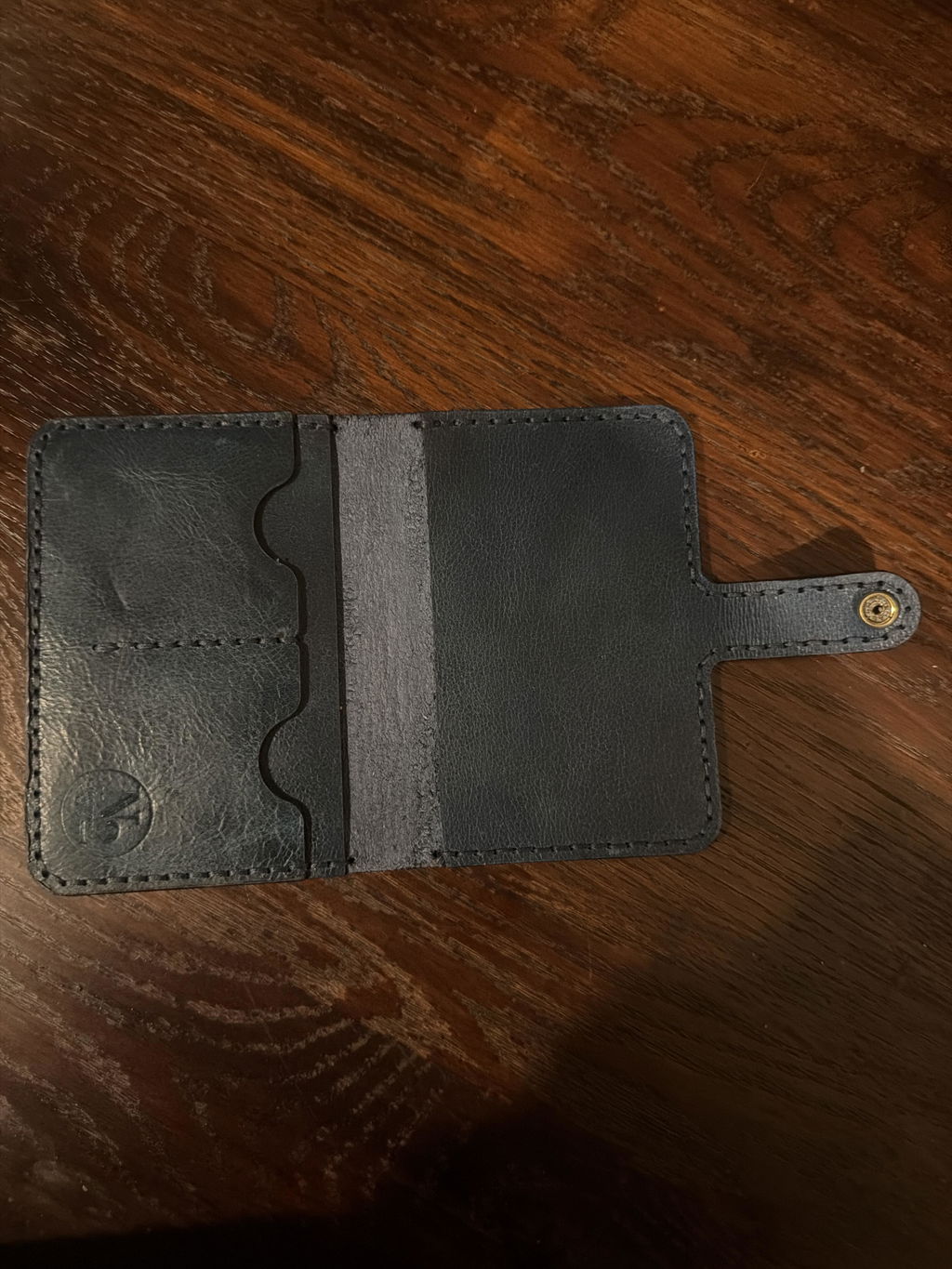
Passport Case With Strap Template Set SVG Laser File
*** THIS IS A DIGITAL DOWNLOAD PRODUCT ***
Have a laser cutter and want to cut this design directly from leather or make your own acrylic template? This option is an instant digital download of the laser-ready Passport Case with Strap template in .SVG format.
Travel in style with this timeless passport case design featuring a secure strap closure, a dedicated slot for a standard passport, and two curved card slots for credit cards or ID. A hidden full-width pocket beneath the card panel provides additional storage for cash, tickets, receipts, or other travel documents.
The straightforward construction makes this a great project for beginner leathercrafters while still offering a clean, professional finished design for more experienced makers.
The SVG files can be modified to suit your own materials, equipment, stitching preferences, hardware, or workflow. No physical template is included. This is a digital download only.
SVG files are supported by most laser cutting software, but compatibility and import behavior can vary between programs. Please consult your laser software’s documentation for supported file types and instructions for importing files at 100% scale. I’ve kept these files as bare-bones as possible to maximize compatibility across different laser systems, but occasional import or scaling issues may still occur.
Note: This product is NOT made to be printed out on a standard piece of paper. There are PDF printer friendly versions available!
Template Usage
Templates allow you to have a consistent, professional look to all of your work. Use your end product as practice, a gift for friends and family, or even to sell under your own brand!

Laser-Ready Files Quick Start
New to laser-ready files? Check out our Laser-Ready Files Quick Start video for a quick walkthrough of downloading, importing, and getting your file ready to cut. The video references multiple file formats, but we currently provides these designs as SVG files only.
Be sure to check your laser software’s documentation for SVG compatibility and import settings before getting started.
This pattern was spot on perfect. Cuts clean. Excellent files.